
Alternative casinos similar to Joe Fortune
We know some players like to keep their options open. Sometimes you want a different game mix, sometimes you’re testing another site, and sometimes you just need a backup if one platform is acting up. If you’re checking out casinos similar to Joe Fortune, our advice is simple: stick to licensed operators, make sure they work properly for Australian players, and pay attention to how smooth the login process actually is. If you decide to come back to us, getting into your account shouldn’t be a hassle.













Accessing Your Joe Fortune Account
Signing into Joe Fortune is meant to be quick and straightforward. You open the site, click the login button, enter your details, and you’re ready to play. For players searching for Joe Fortune casino login help from Australia, the sections below cover the most common situations we see, plus the fastest ways to fix them when a browser or device starts playing silly buggers.
| Login element | What to check |
| Email or username | Spelling, Caps Lock, and whether auto-fill is using the right account |
| Password | Old saved passwords or extra spaces added by copy and paste |
| Login window | Pop-up blockers or extensions stopping it from opening |
| Browser session | Cached data or multiple tabs causing a session clash |
If the page loads but doesn’t let you in, it’s usually something simple on the browser side. Clearing out old data or switching browsers often sorts the Joe Fortune login without touching your account settings.
Quick sign-in steps
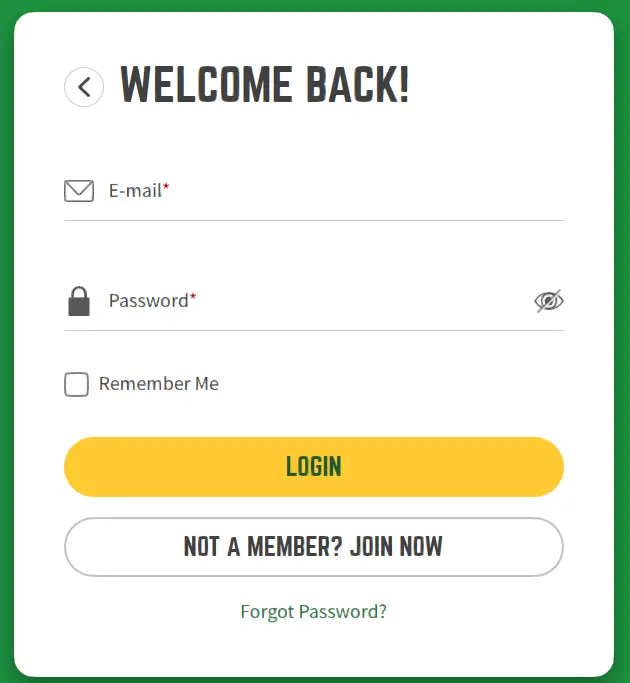
When you just want to log in and get on with it, this is the routine we recommend.
- Open the site directly in your browser, not through a social or email app.
- Click the login button and enter your details manually if auto-fill has been unreliable.
- If the page freezes, close the tab completely and reopen it once.
- Keep only one Joe Fortune tab open during your session.
A lot of login complaints come down to browsers reusing old sessions. A clean tab and a fresh load usually get things moving again.
Common login problems for Australian players
If the login screen appears but access doesn’t go through, these are the issues we see most often and how players usually fix them.
| Issue | What usually helps |
| Login loop | Clear cookies for the site, close all tabs, then try again |
| Login window won’t open | Allow pop-ups and pause ad blockers for the session |
| Password not accepted | Type it manually and check your password manager isn’t using an old entry |
| Slow loading or timeouts | Switch networks or try another browser straight away |
Patchy mobile reception can also interrupt the login process. If the connection drops mid-load, the page can look stuck even though nothing’s wrong with the account itself.
Forgotten password
If you can’t remember your password, use the reset option on the login screen. It’s the safest way back in and avoids temporary locks from too many failed attempts.
- Select the password reset link on the sign-in window.
- Check your inbox and spam folder for the reset email.
- Create a new password without copying and pasting.
- Return to the login screen and sign in again.
If the email doesn’t arrive straight away, give it a minute before requesting another one. Multiple requests can make the newest message harder to spot.
Logging in on mobile
Most players access Joe Fortune on their phone, so the mobile login is designed to work smoothly in standard browsers.
| Mobile tip | Why it matters |
| Use Safari or Chrome | Better handling of sessions and pop-ups |
| Avoid in-app browsers | They can interfere with cookies and login windows |
| Pause strict blockers | Some tools stop the login scripts from running |
If saved passwords keep filling the wrong details on mobile, entering the password manually once usually fixes it.
Account security basics
We keep account security practical and low-key. Simple habits go a long way.
- Use a unique password for your casino account.
- Avoid public Wi-Fi when logging in or handling payments.
- Log out on shared devices.
- Always check the site address before entering details.
These steps help keep your Joe Fortune account running smoothly without overcomplicating things.
Account temporarily locked
If there have been too many incorrect attempts, access may be limited for a short time. When that happens, stop guessing and either reset your password or get in touch with support so we can help.
| Status | Next step |
| Too many failed attempts | Wait briefly, then reset your password |
| Access blocked | Contact support with your registered email |
| Security warning | Change your password and review active sessions |
Using the correct email address matters here, especially if you have more than one inbox.
When the site doesn’t load properly
If the page only half-loads or buttons don’t respond, it’s usually a local browser issue rather than a problem with your account.
- Close the tab and reopen the site.
- Clear cache and cookies.
- Try another browser straight away.
- Pause extensions that block scripts and reload.
If it’s still not working after that, reach out to support and we’ll take a closer look.
Details that help support resolve login issues faster
When you contact us, keeping the message clear and specific helps us fix things quickly.
- The email or username linked to your account.
- Your device and browser.
- What happens after you click the login button.
- The approximate time the issue started.
With that information, we can usually get you back into Joe Fortune without unnecessary delays.